FreeGee Free **ROOT Required**1.9.23
Publisher Description
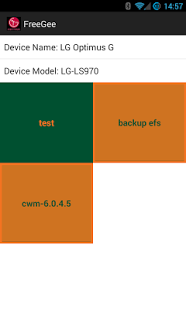
****
This app require root! Make sure you device is rooted first! Some devices need busybox also.
****
Special thanks to drifty for the nifty logo!
****
All original credit for discovering the importance of efs and backups goes to autoprime!
*****
Optimus G Pro and LG G2 support is due to drjbliss and loki
https://github.com/djrbliss/loki
Freegee is all new and rewritten from scratch. Everything is done on device now so there is no more white listing every variant, only just enabling models.
If you run into an error please report it, send me a logcat. I can be reached via email or on xda/irc.
Dropbox support is under menu -> settings.
This is exactly the same as the donate version except it has ads.
Have an LG Optimus G, LG Optimus G Pro or LG G2? If so this app will allow you to unlock (Options G only) or bypass your bootloader, remove LG Security and install cwm or twrp recovery. With removed lg security you can now uninstall any preloaded applications you want.
Please contact Shelnutt2 on freenode irc #lg-optimus-g with any problem.
The old 1.2.4 version, which is now depreciated can be downloaded here:
http://goo.gl/hXGuEB
The source is available here:
https://github.com/Shelnutt2/FreeGee-app
About FreeGee Free **ROOT Required**
The company that develops FreeGee Free **ROOT Required** is Seth Shelnutt. The latest version released by its developer is 1.9.23. This app was rated by 1 users of our site and has an average rating of 4.0.
To install FreeGee Free **ROOT Required** on your Android device, just click the green Continue To App button above to start the installation process. The app is listed on our website since 2014-04-13 and was downloaded 203 times. We have already checked if the download link is safe, however for your own protection we recommend that you scan the downloaded app with your antivirus. Your antivirus may detect the FreeGee Free **ROOT Required** as malware as malware if the download link to edu.shell.freegee_free is broken.
How to install FreeGee Free **ROOT Required** on your Android device:
- Click on the Continue To App button on our website. This will redirect you to Google Play.
- Once the FreeGee Free **ROOT Required** is shown in the Google Play listing of your Android device, you can start its download and installation. Tap on the Install button located below the search bar and to the right of the app icon.
- A pop-up window with the permissions required by FreeGee Free **ROOT Required** will be shown. Click on Accept to continue the process.
- FreeGee Free **ROOT Required** will be downloaded onto your device, displaying a progress. Once the download completes, the installation will start and you'll get a notification after the installation is finished.
Program Details
System requirements
Download information
Pricing
Version History
version 1.9.23
posted on 2014-04-13
1.9.23 Allow partial swversion matching,1.9.22 Make log file persistent,1.9.21 Fix a second location where downloads would hang,1.9.20 Display warning for kitkat users and fix bug in checking downloaded actions,1.9.18 Fix download hang issue and rework sending aboot emails,1.9.17 Do not offer to send aboot images for sw versions specifically listed as supported,1.9.16 Fix NPE caused by swversion not supported,1.9.15 Add context option to update zip with newer loki support
version 1.0.5
posted on 2013-04-23
Several fixes and updates
